Wednesday, October 9, 2019

Water VFX Brief: Week 2 Wednesday

On Wednesday I continued working on the splash particle effect, making it fit better in the scene.

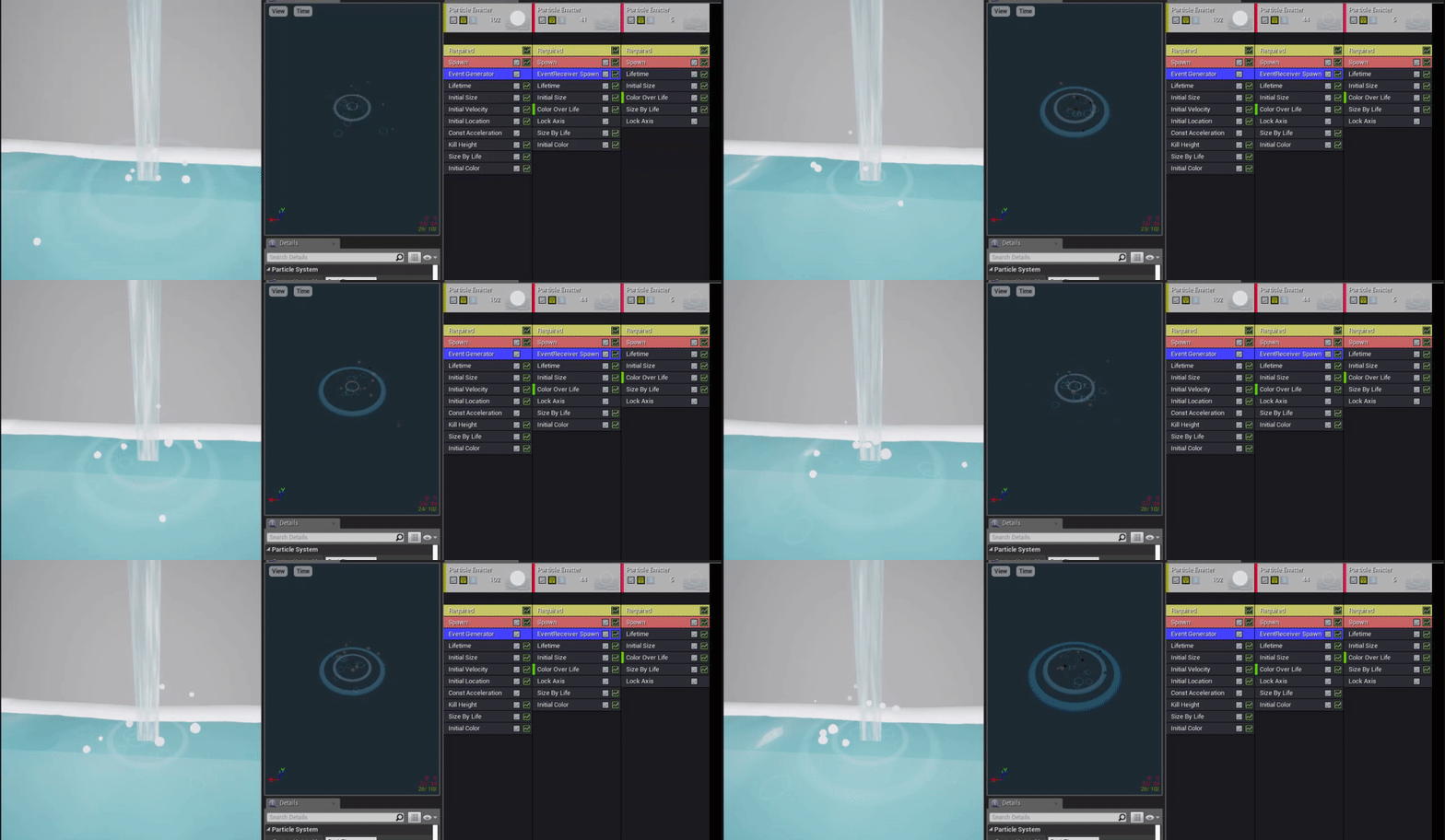
I worked on adding my previously made ripple effect into the same particle effect, both generating where the waterfall hit and where the splashes hit. For the larger ripples, it was as easy as having them generate from the same place as the droplets and didn't need to be reactive, but for the smaller ripples I needed them to appear to generate on collision with the water, in time with the droplets. To do this, I followed this tutorial, adding an Event Generator and EvenrReciever Spawn to the two emitters and having the ripples react to when the droplets died, which happened to be on the kill height which would also be on the water surface.

Tuesday, October 8, 2019

Water VFX Brief: Week 2 Tuesday

On Tuesday I started working on the particle effects!
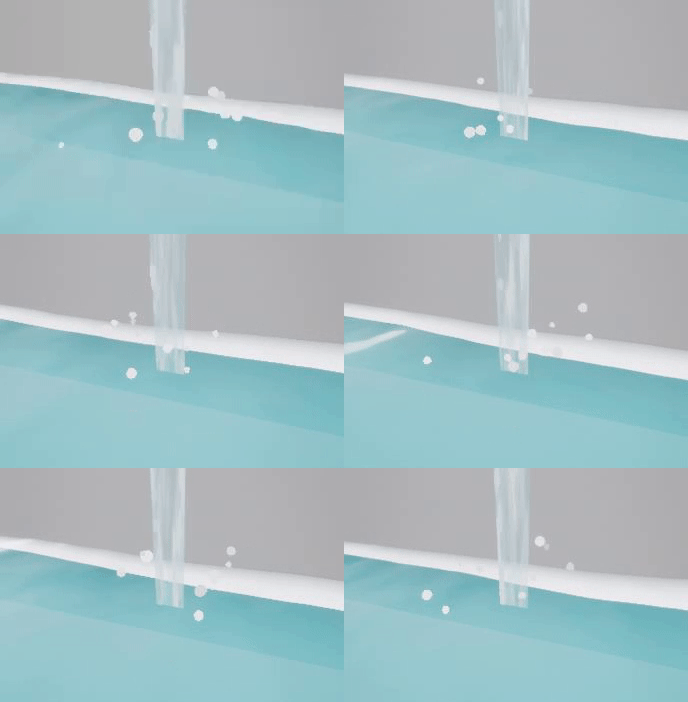
I wanted to make a splash effect for where the stream of water touched the pool beneath it, but wasn't sure which method to choose. I looked at several different methods: flipbook animations, sculpting a spash mesh in houdini and finally decided on going with bold droplet particle effects being dispersed in several different directions.

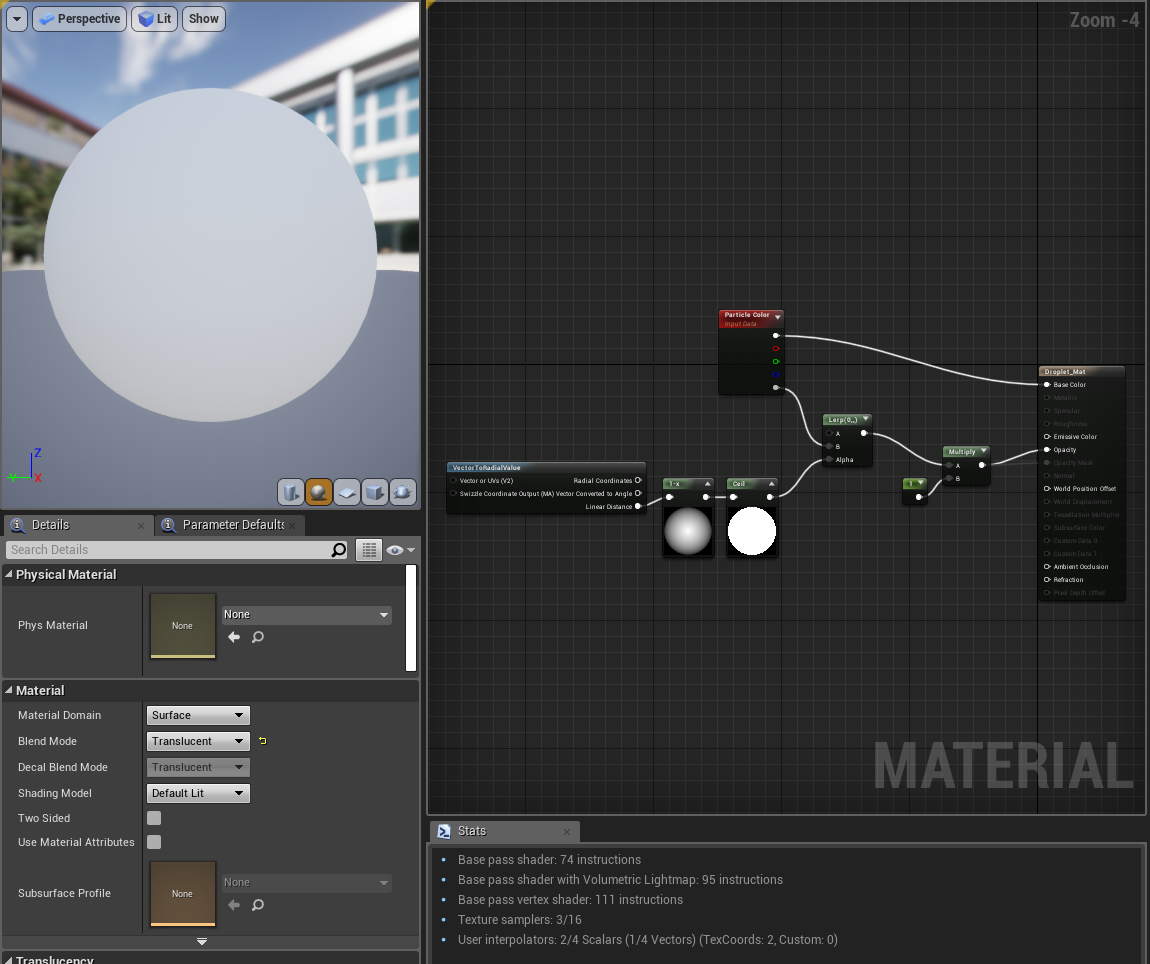
For the material itself I kept it simple, leaving most of the work up to the emitter itself.

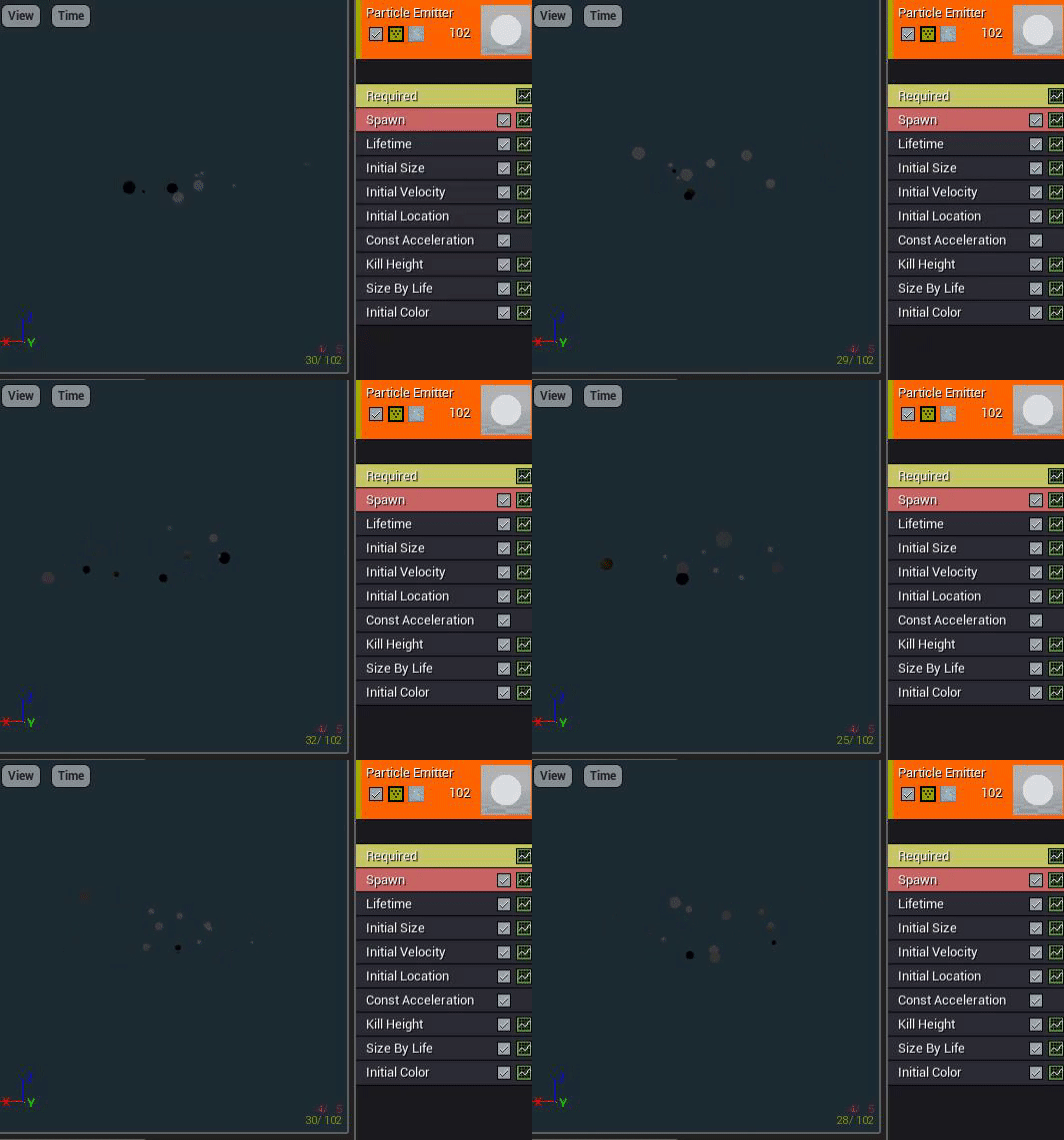
I adjusted the size to be varied, decreasing over time, as well as velocity and constant acceleration to give the effect of being shot up into the air and then dragged back down by gravity. I also changed the initial location so that they weren't all spawning from the same spot, then added a kill height so that they wouldn't exist lower than the water plane. I adjusted the max draw count to 10 so that there wasn't too much overcrowding too.

I made the droplets solid in colour so that I could introduce the inspiration I gor from RiME into the scene more, as I wanted the water translucency and detail of the kind of water seen in Sea of Thieves, with the whimsical and bold effects seen in RiME water, such as the white foam.

Monday, October 7, 2019

Water VFX Brief: Week 2 Monday

On the second week I started working on the waterfall aspect of the water feature and how it would react to the pool of water beneath it.

Monday:

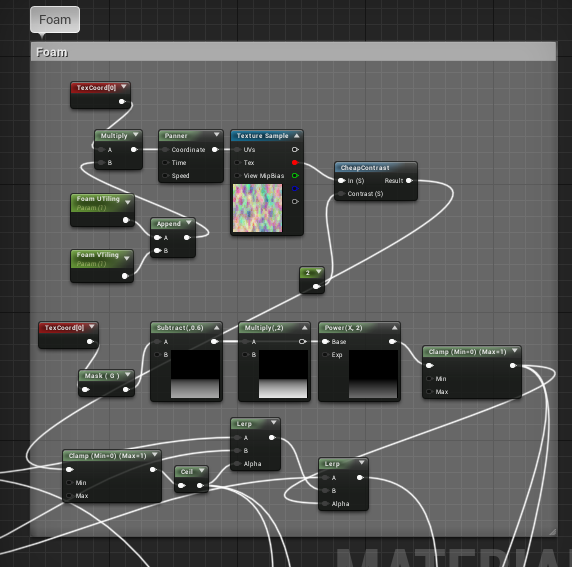
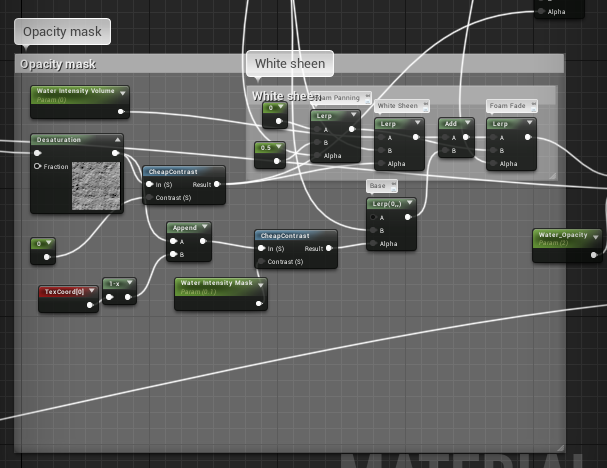
On Monday I worked on making a waterfall shader that would match with the shader I made for the rest of the water. For this, I combined nodes from my prior shader with the panning and other aspects I learnt from this tutorial as well as a toned down foam effect I learnt from this tutorial, without the displacement and only using the colour/opacity masking.


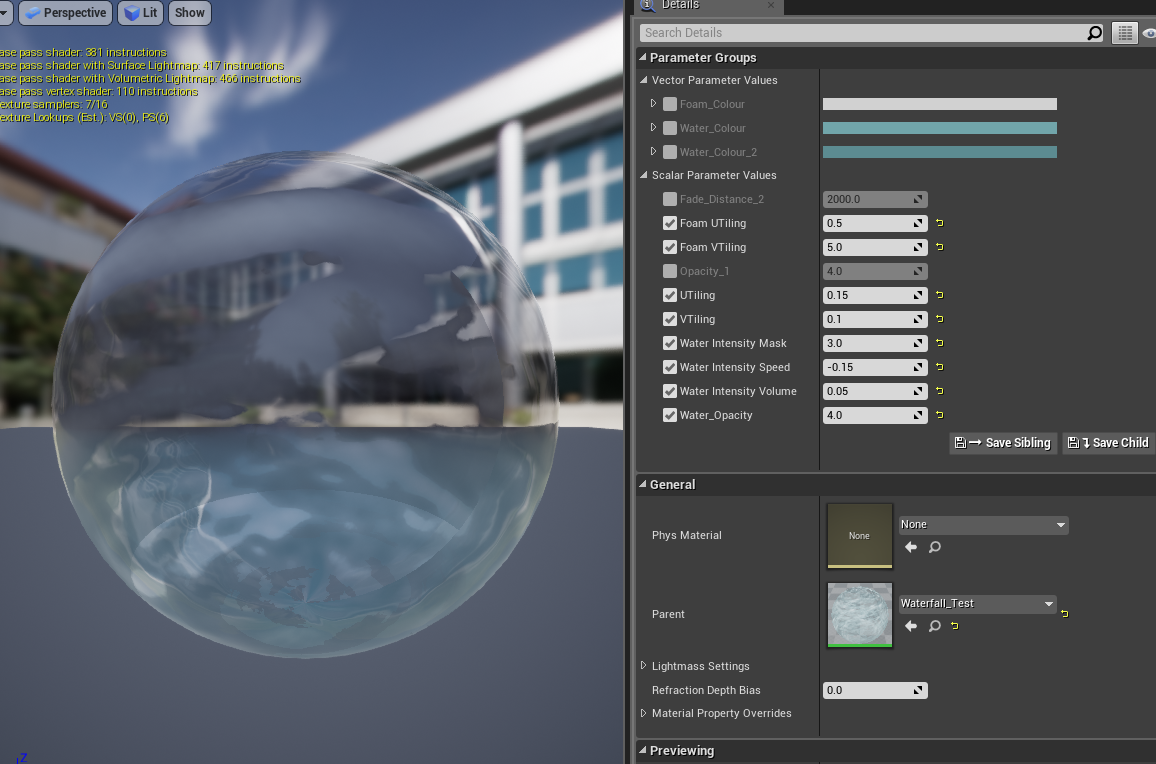
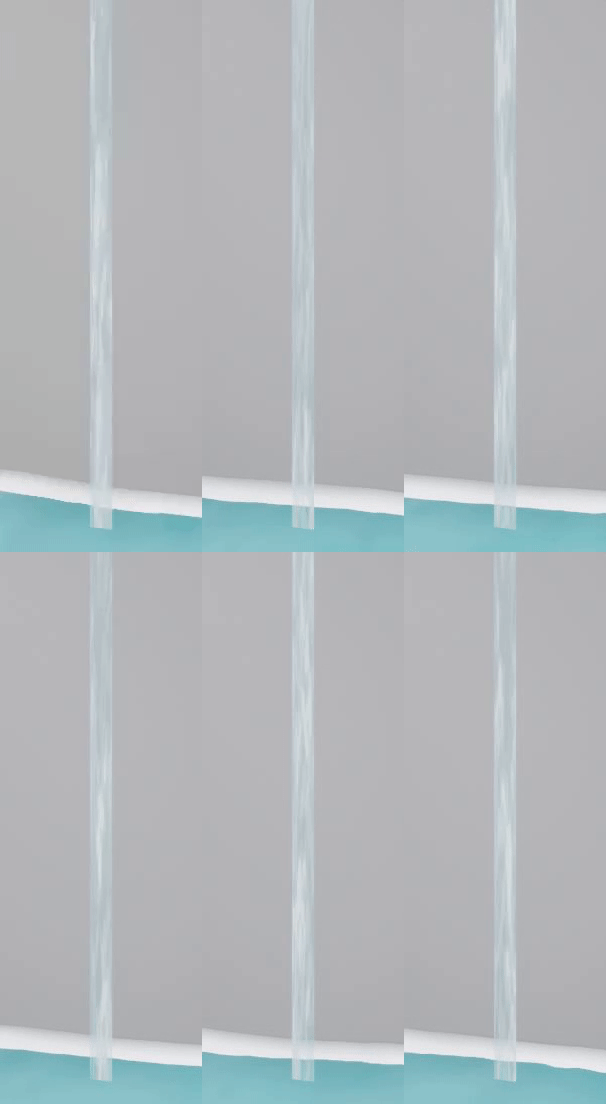
I then made a instance of this to adjust the speed, opacity and UV Tiling to fit the scale and intensity of water that I wanted to place on my test mesh, which was a simple stretched plane that I grabbed from UE4:


I decided to not spend too long trying to adjust the colour, as I thought it would be a waste of valuable time if I had to change it later when combining my final assets.
For this water shader, I mainly referenced the following images for the colour and opacity:
Few elements in any garden control to elicit the similar nod as a well-placed water feature. It conjures dispel and can tie together an entire #gardenwaterfountainslandscapingImage result for Fountain

Friday, October 4, 2019

Water VFX brief: Week 1 Friday

Friday's work consisted on making sure the particle effect worked properly within the scene.

Particle effect:

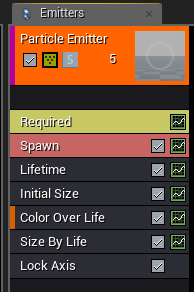
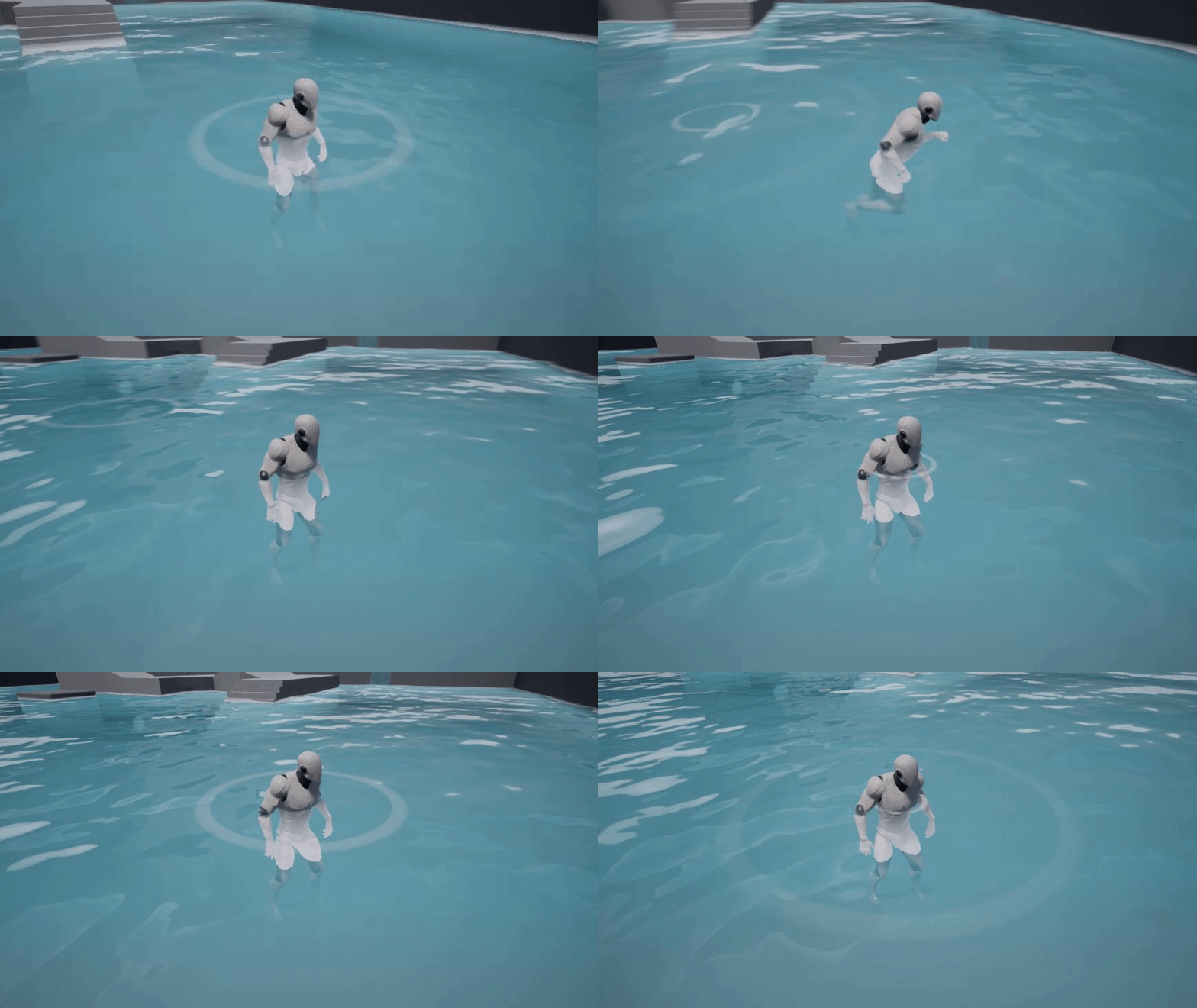
For the particle effect, I added colour over life to make the ripple fade out and size over life to increase the size over time. The Lock Axis was so that the particle effect wouldn't follow the camera view and would instead lay flay on the surface of the water. I set the initial size to 100 and the lifetime to 5.0, but these may be changed later when placing items in the water feature.
Blueprint:
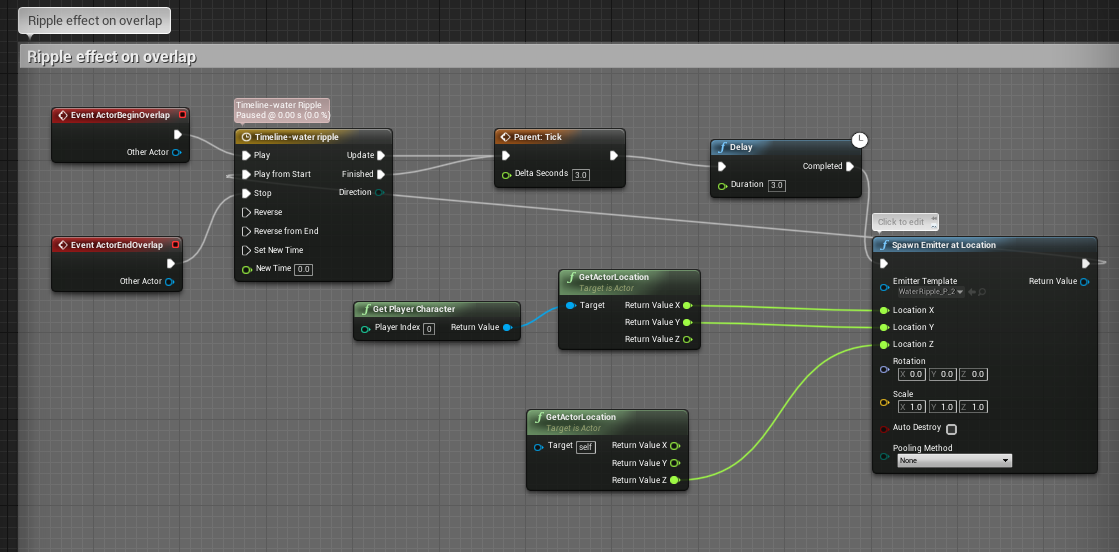
For the blueprint, I scrapped what the ripple guide wanted and implemented my own. I wanted the particle effect to spawn once the actor was in the water and to end when they left it, so I plugged an Event ActorBeginOverlap and Event ActorEndOverlap into a Timeline node. I then tried to plug this straight into the Spawn Emitter at Location node, which used the GetActorLocation node which in turn had to be plugged into Get Player Character. This came up with an issue however, as it would retrieve the character location only once as they hit the water, but would only spawn the particle in that location, not following the character's movements at all. This would have been fine, but I wanted more dynamic water! I wanted it to react to where things were, or had been moved to.

This was where I then tried just using the Event Tick node with the Delay node, as seen in the guide I used yesterday. This was just as bad though, as it spawned the particle effect even out of the water. It was then that I discovered the add call to parent function while clicking on things just for the sake of the off chance of finding something useful. This made it so that I could plug the timeline node into the Tick node, but I knew it would be expensive and pointless to have it generate every tick of the engine, so I changed the delta seconds to 3.0, and the delay to another 3.0, using it like a refresh button on the particle spawn node. Luckily for me, the Timeline node had a play from start section that I could plug the Spawn Emitter at Location into. This meant that upon the actor touching the water, the Tick node would refresh the particle effect spawn event every 3 seconds with a 3 second delay, which in turn meant that a new location would be received every 3/6 seconds- following the position of the actor!

After this success however, I discovered that the particle effect was spawning at the waist of the player character and not on the water surface. I wasn't sure how to tackle this problem so I had to ask a lecturer to help. Through this however, I was taught that I could split the structure pin of the location node, which was originally plugged into only the GetActorLocation node. I could now plug the Location X and Location Y into the position of the actor, while the actual height (Location Z) could be plugged into the location of the water surface itself. The ripple could finally be generated on the surface of the water depending on where the character (or lily pads in the future) were placed!


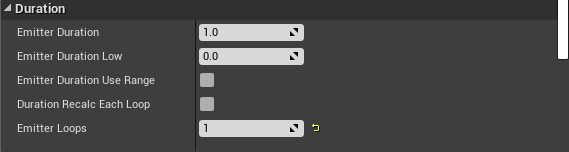
When I was messing with the blueprint, I realised that I needed the emitter to have 1 loop, emitting once and then stopping. This was to prevent the ripple effect from being spawned constantly in one location regardless of where the actor was, based on where the actor had been previously. I needed these excess ripples to be killed immediately after ending.
End Result:

Thursday, October 3, 2019

Water VFX brief: Week 1 Thursday

After Wednesday's blunder, I realised that any more time spent on the water shader itself could waste time, so I set to work on the next thing on my list: particle effects.

I wanted to make the water more dynamic before anything else, so I decided to work on a ripple effect for floating items which could also be recycled for the stream of water later down the line.

I ended up trying out multiple guides to create the ripple effect, testing out each one and then using the one that I liked the best- both in aesthetics and usefulness later down the line. I also tried to exclusively use textures generated from the nodes themselves in order to increase my knowledge of the software.

Attempt 1:
https://answers.unrealengine.com/storage/temp/75343-water_mat.png

I gave up on this effect as it wasn't central, nor was it faded, but I kept it in case I wanted to fade and tweak it myself later and use it for a waterfall ripple effect.
Attempt 2:
https://forums.unrealengine.com/community/community-content-tools-and-tutorials/12434-ripple-soundwave-material-no-textures-needed
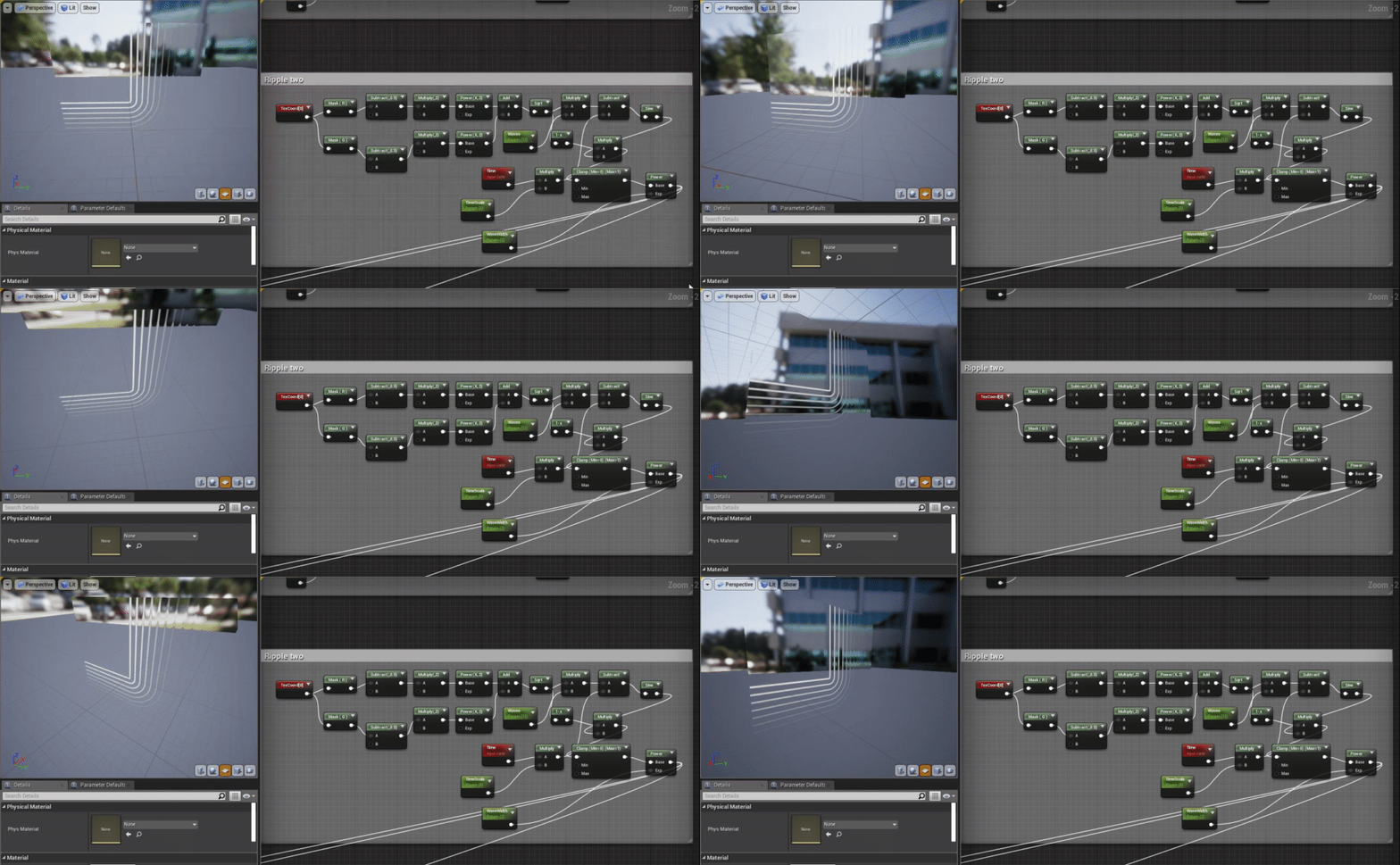
I scrapped this attempt as the nodes were incredibly difficult to read and the end result looked nothing like the example image, making it difficult to figure out where I went wrong, as I had no correct example to refer to and learn from.


Attempt 3:
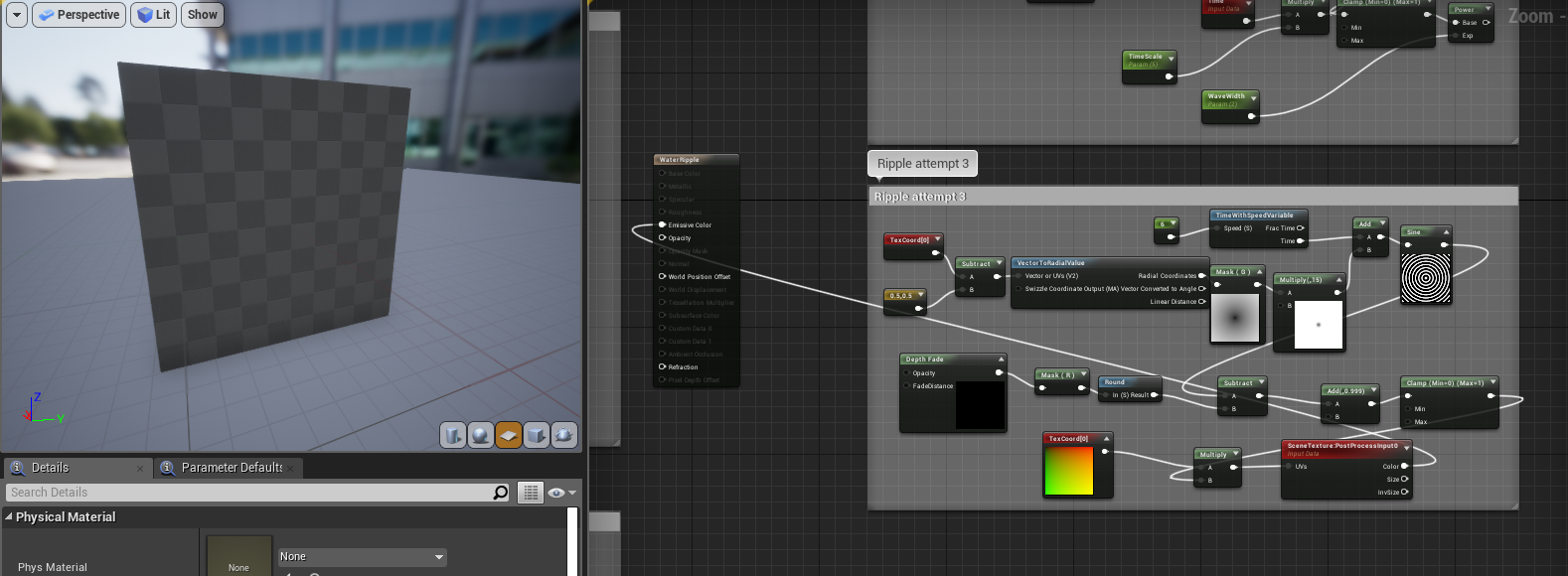
I scrapped attempt 3 after plugging it into the texture preview and seeing nothing, as I was then made unsure if it would work considering the guide was for a post processing effect rather than a particle effect.
Attempt 4:
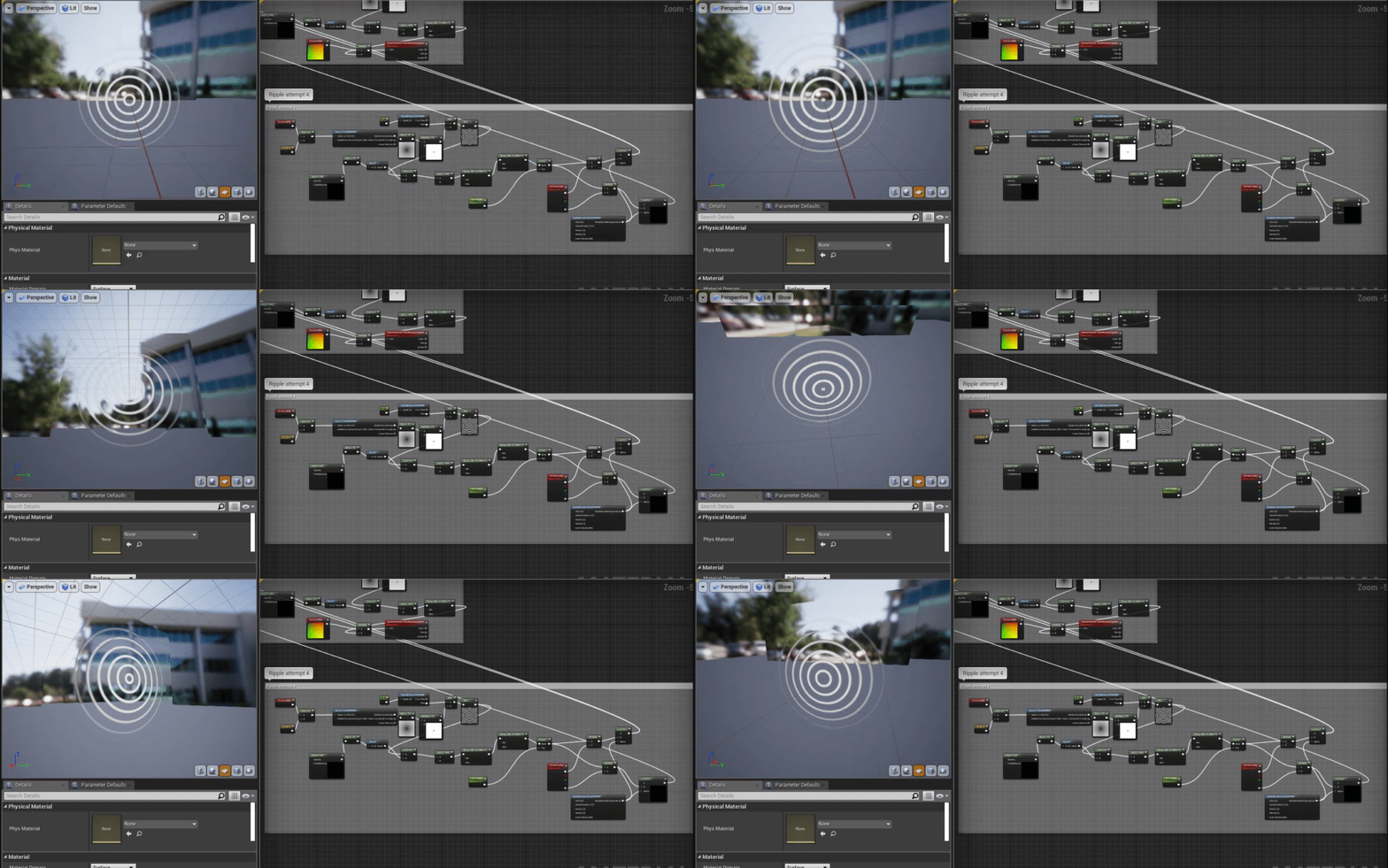
This was where I ended up using what I had learnt from the previous attempts to combine them together into a useable texture that generated from the center, while still being usable for a particle effect.
This was much closer to what I wanted, but the refraction on the outside wasn't being masked properly and I realised that the frequency of ripples was a little distracting, so I decided to try again one more time.
Attempt 5:
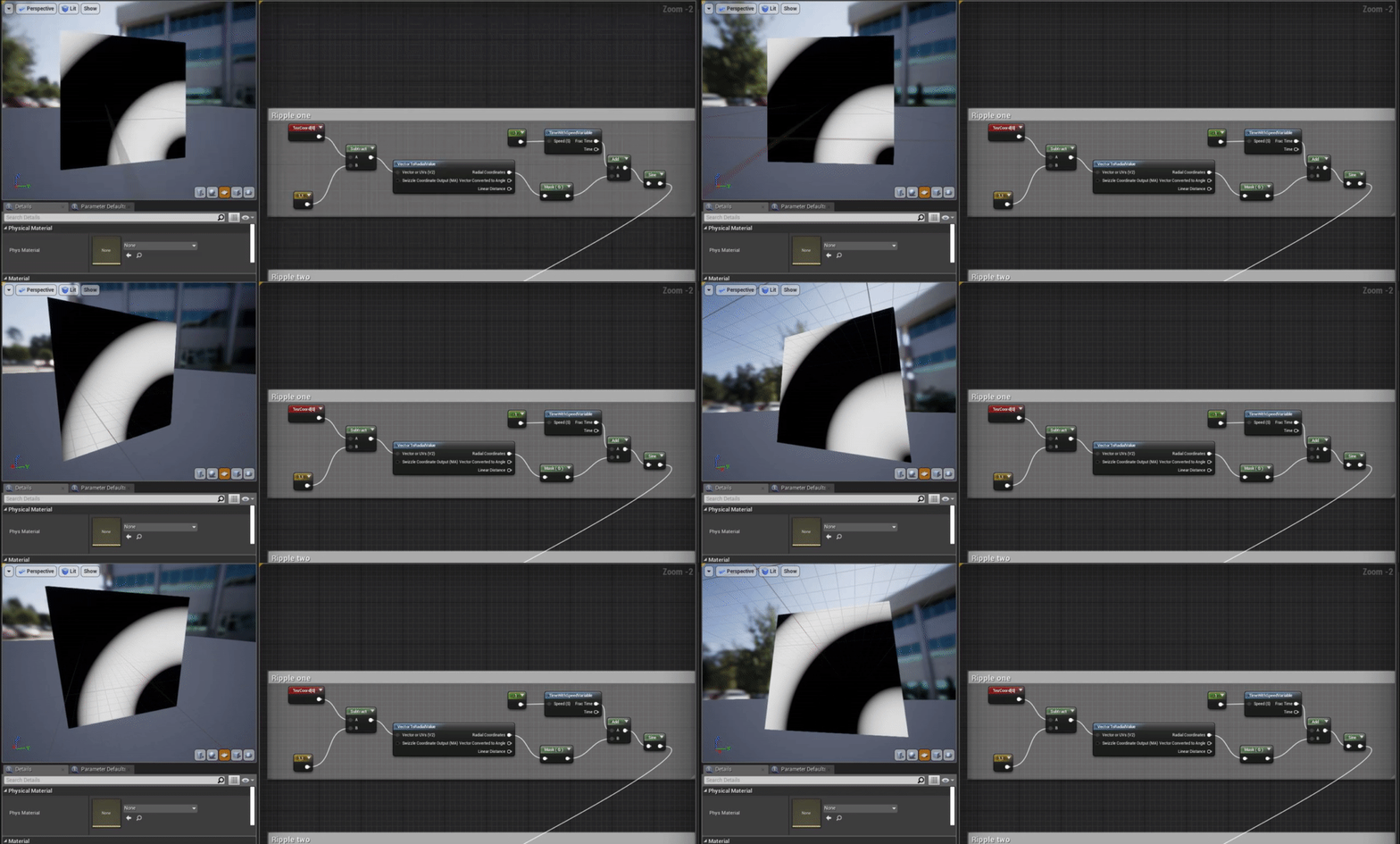
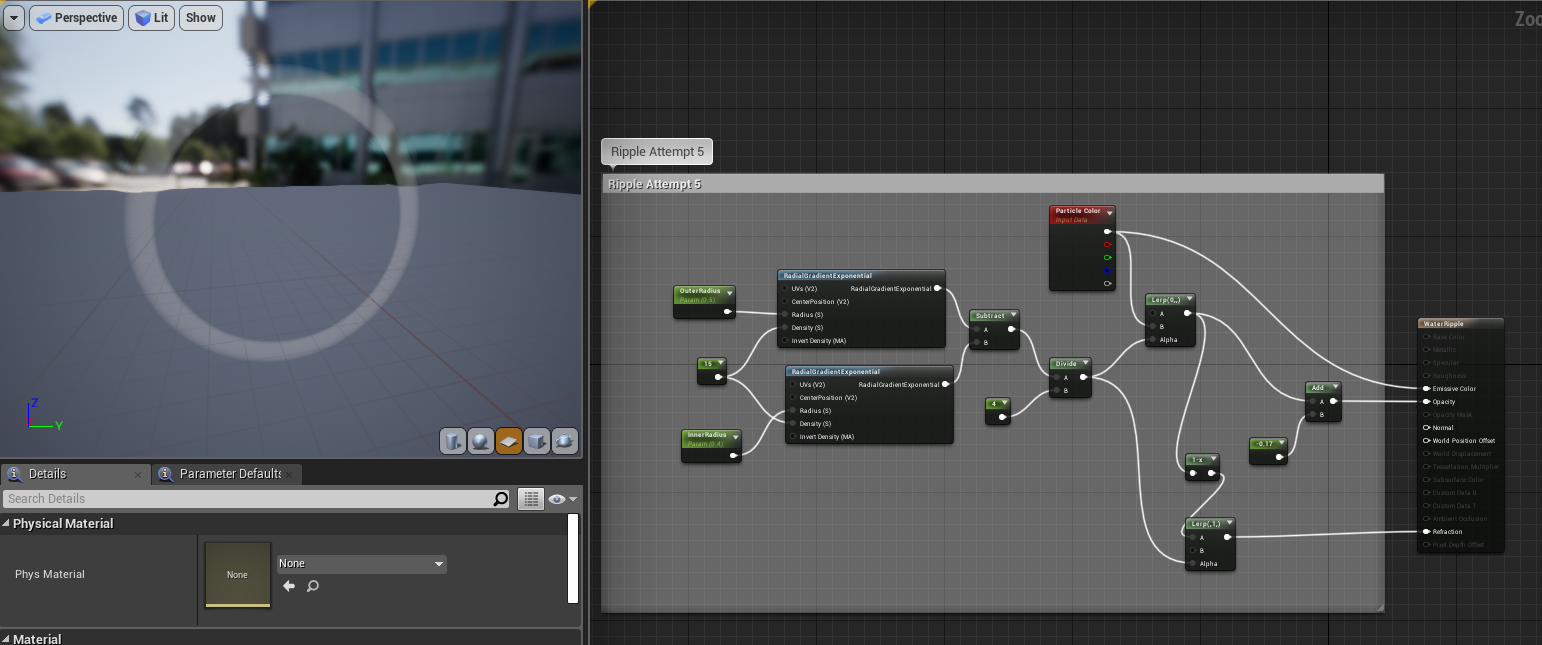
This time I decided to use another guide, but used my previous knowledge to tweak it and generate the texture myself.
https://www.youtube.com/watch?v=zz_9ySkEUGY
This material didn't have any panning textures, but it wasn't needed as I could animate it within the particle effect settings myself. I decided that I wanted to add some distortion to the ripples, but to focus on the blueprints in the meantime.

Wednesday, October 2, 2019

Water VFX brief: Week 1 Wednesday


As stated in the last post, I decided to spend the entirety of today on the blueprint guide I found on fluid surface here:
https://docs.unrealengine.com/en-US/Engine/Rendering/RenderTargets/BlueprintRenderTargets/HowTo/FluidSurface/index.html

I tried to follow the guide as closely as possible:
I made all of the render targets and materials as stated

I created all of the components, as per the guide
Making sure to add all of the blueprints so that the custom components would work within the blueprint
Then I delved into the event blueprints, omitting sections that involved coding that I knew I didn't need, such as blueprints that would enable the character to shoot a stream of water towards the water. I tried to do this delicately so that it wouldn't break the rest of the events that were connected to the parts that I took out.


Finally I completed the construction graph as seen in the guide.
After pressing compile I waited and got.......... nothing. I asked a lecturer to look over the blueprints to see if they could pinpoint where it was going wrong, and managed to find a few areas where param2D textures had been named wrongly. This managed to fix the base colour and general look of the water, but still none of the animations or reactive parts of the water surface worked. After all of this, I was also told that the guide was for Unreal Engine 4.13, therefore could have major holes when used in a newer version (which I was using). It was at this point that I decided to give up on this particular shader, but it was a learning experience and helped to level up my knowledge of blueprints a little bit- enough to get my way around most of the blueprints later down the line without having to look at guides anyway. For now though, it was back to (almost) square one.

Tuesday, October 1, 2019

Water VFX brief: Week 1 Tuesday

On Tuesday my day consisted of gathering as many extra tutorials as possible for the upcoming tasks:

Waterfall particle effects scrapped:

I ended up not following these tutorials in particular as the particle effects were too misty, and were unfit to be used for a small scale water feature where the water is pouring more gently.

Particle events:
https://wiki.unrealengine.com/index.php?title=Particle_Events

I deemed this video to be useful in the future for when I make a trickling water particle effect that generates a splash particle effect upon hitting the water surface.

Rain particle effects:
https://www.youtube.com/watch?v=Qmb2FrFunME

This video was chosen in case I decide to add rain, but also to serve as a base guide to creating a trickling water effect.

Ripple particle effects:

This video in particular was used as a inspiration and guide to creating a ripple effect, however, I ended up heavily changing the blueprint shown in order to make the ripple react directly to the water coming into contact with an actor.

Infiltrator breakdown; droplet effect:

This video was less helpful as it didn't teach me anything, but still helped me consider the shape of the water droplets and splashes.

Waterfall shader:

I ended up using this tutorial as a loose guide to create a scrolling texture for falling water, however I will be comparing it to the effect of using a particle effect for slower and smaller amounts of water in order to keep it as realistic to the intensity of water as possible.

Buoyancy tutorial:

This tutorial was considered in case I wanted to make lily pads and other things float on top of the water, but will most likely be kept to a stretch goal if I have time closer to the end of the project.

Waterfall preview:

I found this tutorial unhelpful, but very interesting as I'd love to know what the spline in the middle of the waterfall is for, and how the ends of the mesh generate the splash particle effect on play. Just like the buoyancy tutorial however, I will most likely shelf this enquiry until I decide on whether I'll be using a panning texture for the stream effect or a particle effect, as they will require different blueprints to react with the water surface.

Finally, I found a complete blueprint guide to creating a fluid, reactive surface in UE4:
https://docs.unrealengine.com/en-US/Engine/Rendering/RenderTargets/BlueprintRenderTargets/HowTo/FluidSurface/index.html

I decided to test this out, and if it worked I would scrap my previous water shader for this one, adding in any edits that I needed to create the perfect water.